

Introduction
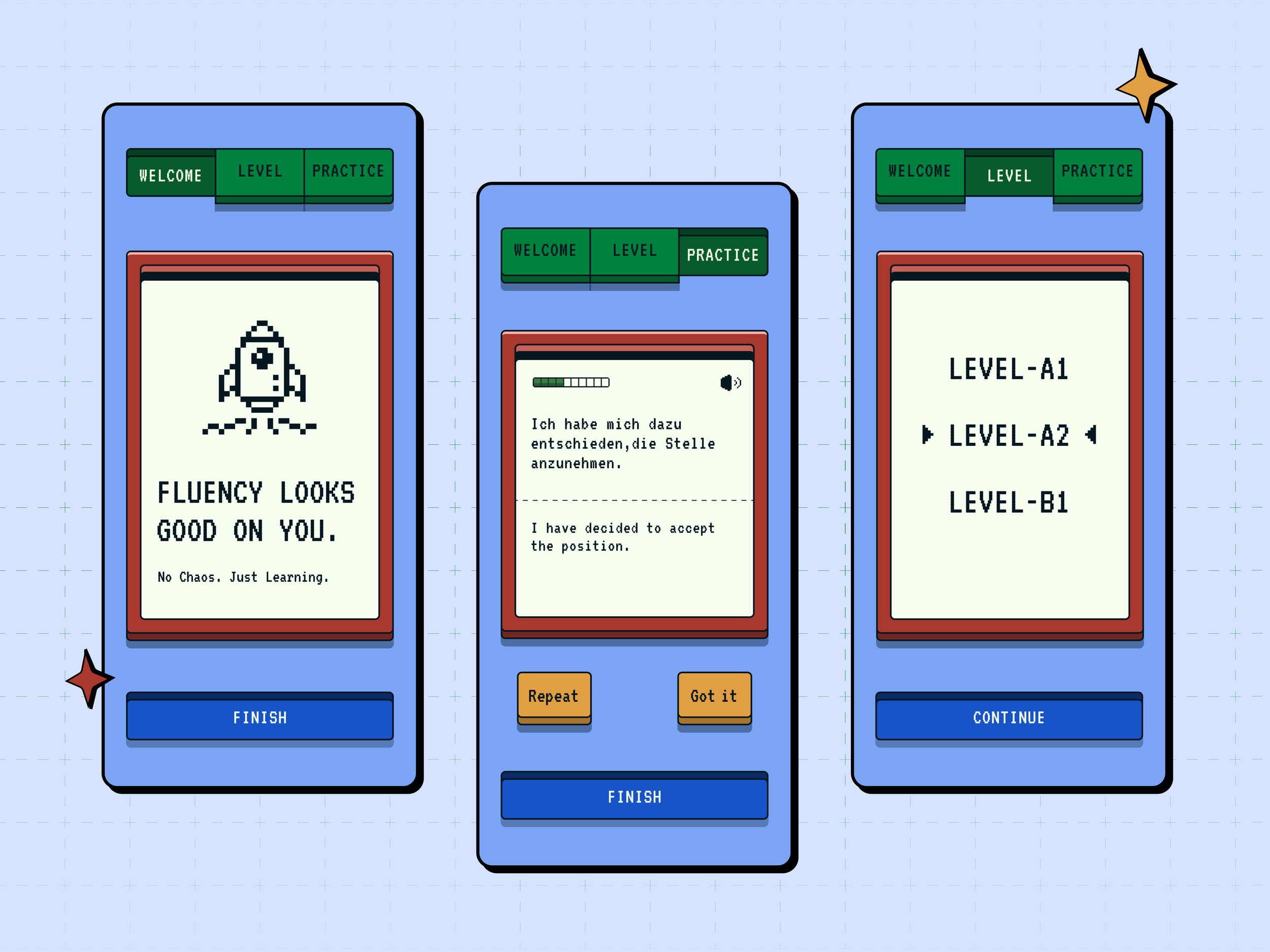
Two things have been taking up a big space in my life lately: learning German and my curiosity about vibe coding. I have zero coding experience, but I decided to follow my own curiosity. I wanted to see what I could build as a product designer, and end up with something I could actually use. The answer was to build an app that served both.
This is my first vibe coding project. I took it from zero to production.
Designing the Blueprint
I started by designing everything in Figma. Before moving into development, I mapped out the full user flow and defined the core product logic.
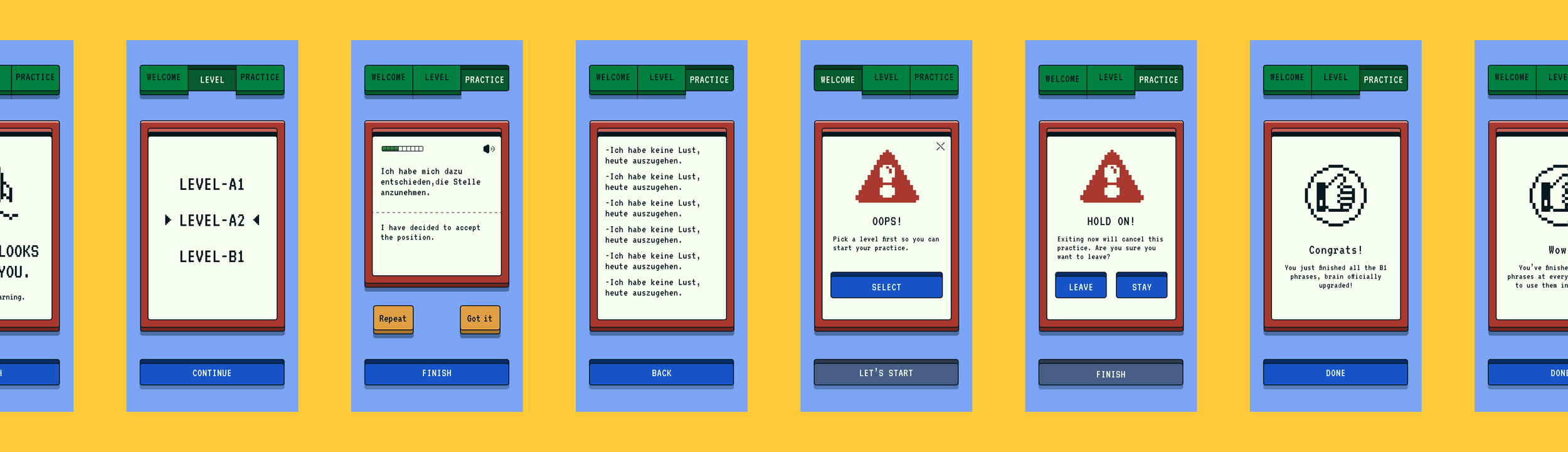
I chose a retro pixel art aesthetic. As I built out the design system, I defined the layer structure, color tokens, button states, and spacing values for every component.
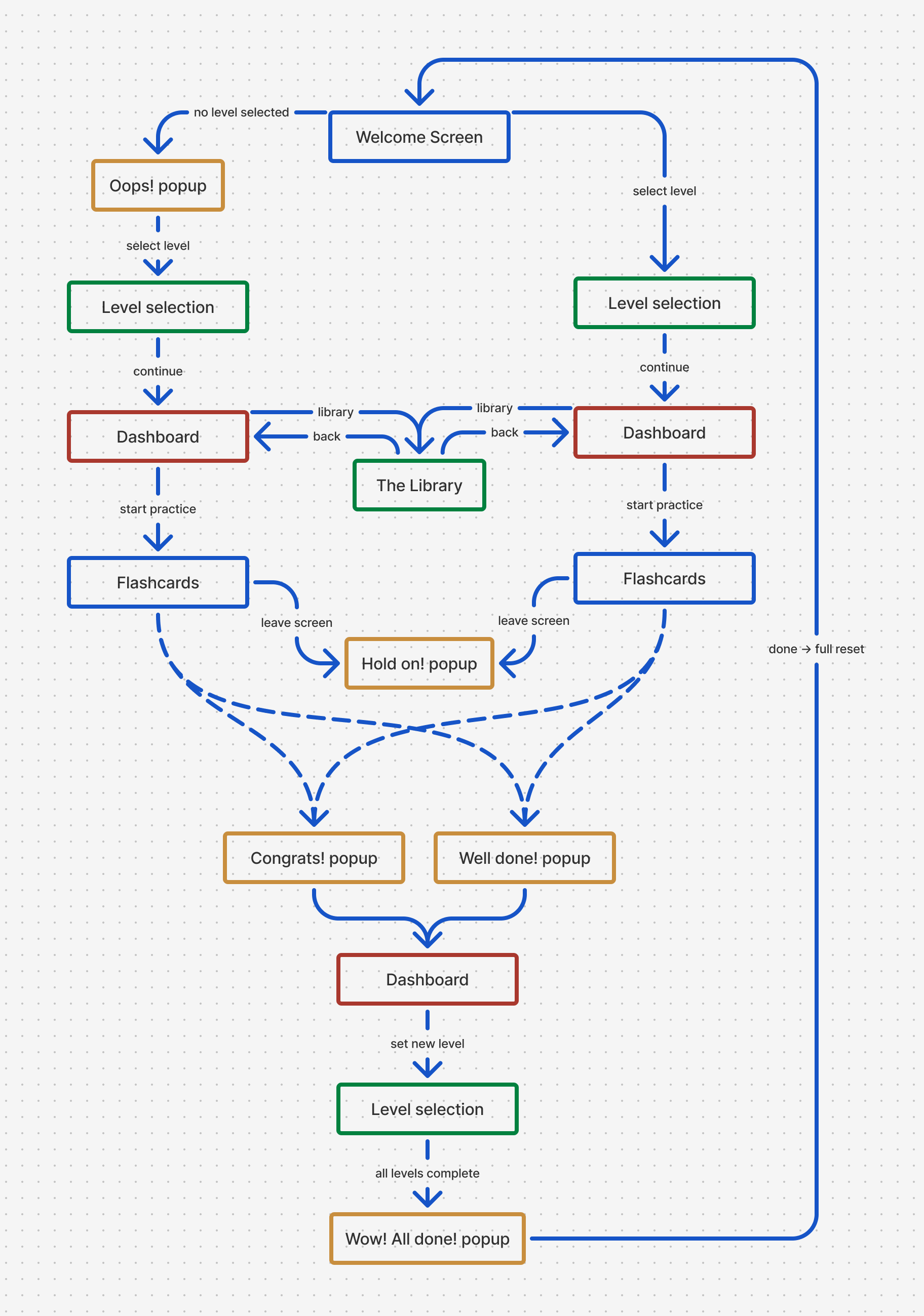
Translating Design into Code
This level of detail made a critical difference during development. Telling Claude Code to "make a blue button" wasn't enough. I had to describe the two layer structure of each button, the pixel dimensions of each layer, the alignment logic, and how click states should behave. For the navbar, I had to explain how the active and passive states would work with a 3D key press effect, and how the height difference between layers would create the feeling of a pressed down key.
Being able to bridge Figma to code, describing design decisions the way you would to a developer, was the most valuable part of the process.
Development
I tried other tools early on, like Anything and v0 by Vercel. They produced results quickly, but my control over the design felt limited. When I switched to Claude Code, the difference was immediate: I could translate my design decisions directly into code, and the process felt much more transparent.
The hardest part was setting up the foundation: Node.js installation, terminal commands, setting up git, deployment processes. All of this was new to me. With every obstacle I worked through, I understood the process better.
Writing prompts is a skill in itself. The more clearly and specifically I explained something, the better the result. When things went wrong, I had to manage the process too. The audio files weren't pushed to GitHub on the first deploy, so the sounds weren't working on the live site. When the Node.js installation broke, localhost stopped working entirely. Diagnosing each error, understanding why it happened, and asking the right question is actually no different from what a designer does every day: define the problem, find a solution, test it.
Audio
This was the most exciting and fun part of the project. I cloned my voice by uploading a short voice recording to ElevenLabs. Then I integrated the ElevenLabs API into the project: I created an API key, had a Node.js script written, and that script read all 60 German phrases from the JSON files, sent a request to the ElevenLabs API for each one, and automatically saved the generated audio files to the project folder. Instead of recording each phrase one by one, I generated all 60 with a single script run. When you tap the sound icon on any flashcard in the app, the voice you hear is mine.
Deploy
To get the project onto GitHub, I installed GitHub CLI using Homebrew, authenticated through the browser, created the repository and pushed all the files. Then I connected it to Vercel and deployed with a single click. Finally, I added a CNAME record in Squarespace's domain settings and moved the app to my own domain.
3 levels, 60 German phrases, a cloned voice via ElevenLabs, and persistent progress tracking with localStorage. Built with React and Vite, live on Vercel.
I didn't write a single line of code. But every decision was mine, from design to UX flow, from voice selection to color system. The tools changed. The work didn't.
This project multiplied my curiosity about vibe coding. I'm excited to build more.